

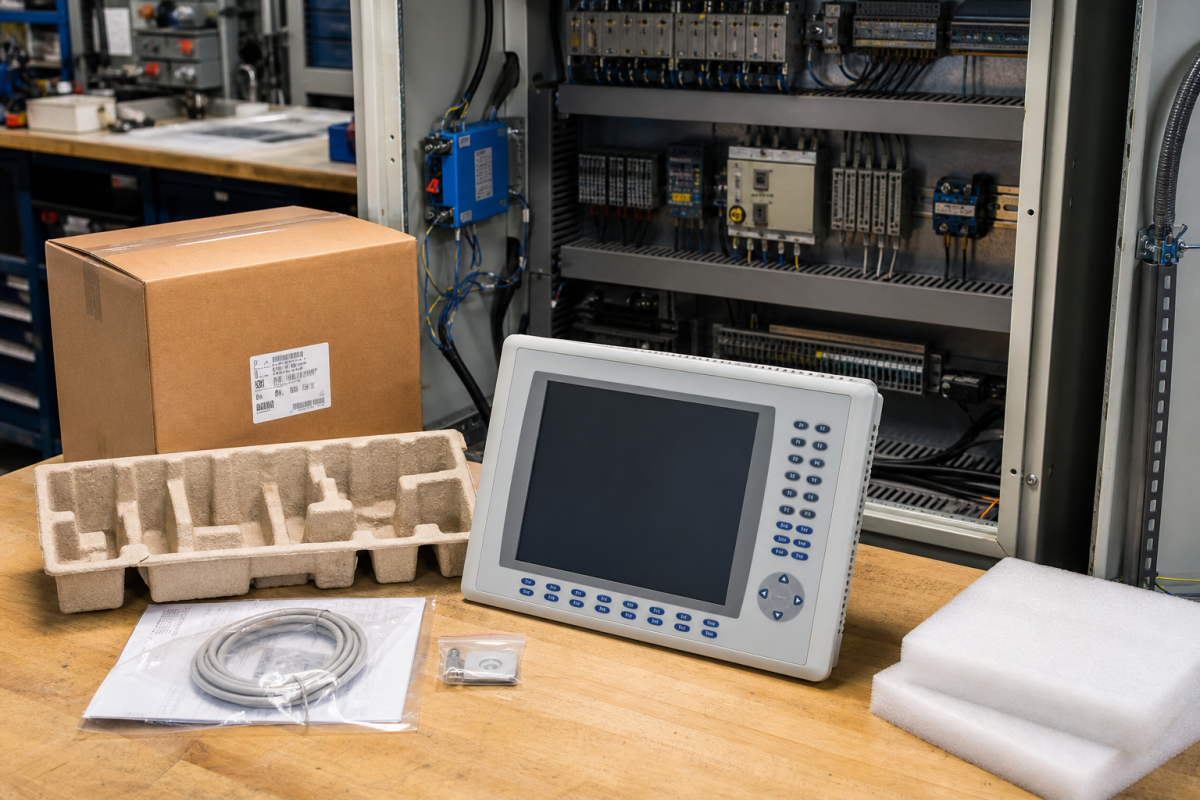
When an HMI screen fails, the machine may still be running while operators lose alarms, recipes, status, or manual control. That makes the replacement urgent, but urgency is exactly when a similar-looking PanelView can be ordered without checking the installed terminal, firmware family, enclosure, communication path, and project backup.
Konmask treats HMI sourcing as evidence work. A screen assembly is only useful when it fits the cutout, supports the project, accepts the intended communication path, and can be commissioned by the plant team within the available maintenance window.
Match the installed terminal, not just the screen size
Record the complete part number, series, display size, keypad or touch arrangement, power input, communication ports, bezel and cutout dimensions, and enclosure requirements. A seven-inch display does not identify the terminal.
The live PanelView Plus 7 touch terminal reference and PanelView Plus 6 terminal reference should be treated as catalog starting points. Compare them with the actual installed label before approving an order.
Photograph the front, rear label, ports, mounting clips, power connector, cabinet cutout, and the project or firmware evidence available to the engineering team. Include whether the requirement is a complete terminal, display assembly, or repair option.
Separate hardware from the project file
A replacement HMI may need the correct runtime, application file, communication settings, user management, recipes, and panel-specific firmware. Ask where the latest approved backup is stored and who owns restoration.
If the panel is connected to a PLC or drive network, record the communication interface and cable or adapter needs. The screen can be mechanically correct and still fail to communicate after installation.
For surplus or refurbished offers, request actual-item photos, condition language, touch test evidence, packaging, included accessories, and warranty terms. Do not treat a clean bezel as proof that the panel is ready for production.
Receiving checks prevent the second delay
At receiving, compare the label, display, touch or keypad arrangement, ports, power input, mounting parts, and accessories with the approved request. Photograph the item before it enters stores.
Mark the item exact, conditional, bench-only, repair option, or rejected. That status should be visible to the technician who reaches for the spare during a production interruption.
After commissioning, record the firmware, project backup used, communication test, alarm display, and operator acceptance. These details make the next HMI RFQ more precise.
Build the RFQ around the installed function
A useful spare request begins with the installed function, not only a familiar brand name. State what the device does, where it sits, what it connects to, and what failure would stop or blind the process. Then add the exact label, revision, connector view, power information, accessory scope, condition requirement, destination, and required date. This gives procurement and engineering the same starting point.
Separate an exact replacement from a possible substitute, repair exchange, bench item, and migration candidate. These options may all be commercially useful, but they do not carry the same approval burden. An exact spare may support a short outage window. A substitute may need wiring changes, parameter review, software work, or a production trial before it can be counted as recovery stock.
The product references in this article are live catalog examples, not permission to skip engineering checks. Compare the product page with the installed label and the plant record. If a suffix, connector, voltage, protocol, firmware family, or mechanical interface differs, keep the item conditional until the responsible engineer closes that gap.
Receiving inspection should repeat the evidence used for the RFQ. Photograph the received label, packaging, connectors, terminals, mounting features, and included accessories. Record what was checked and what remains unknown. A clean-looking item is not automatically a field-ready spare, and an item that powers up is not automatically accepted by the control or protection function.
Keep the approved catalog and RFQ reference with the maintenance record, but do not let a catalog title replace the installed evidence. The useful record is the combination of model, function, interface, condition, test requirement, and decision owner. That combination remains valuable even when the next supplier uses a different description for the same hardware family.
Review the spare before the maintenance window, not only after a failure. Confirm that the item is still physically present, that packaging and accessories are intact, that the backup or test procedure is available, and that the responsible engineer is still named. Small changes in wiring, software ownership, or cabinet layout can make an old spare conditional without anyone updating the shelf record.
When a substitute is considered, write down the exact gap it is intended to close and the evidence needed to approve it. This may include a drawing comparison, firmware review, bench test, dimensional check, secondary injection test, communication test, or production trial. A short approval checklist is easier to review than a vague statement that the substitute is equivalent.
The final decision should be visible to stores, procurement, maintenance, and operations. Use plain status labels such as exact replacement, approved substitute, repair exchange, bench-only, or engineering review required. Clear status prevents a useful but conditional item from being pulled as if it were already approved for a live plant function.
FAQ
What PanelView details must be matched?
Match complete part number, series, display and input type, ports, power, cutout, firmware family, and project requirements.
Can a PanelView Plus 6 replace a Plus 7?
Not automatically. The plant must confirm mechanical, firmware, project, communication, and engineering compatibility.
What should a surplus HMI quote include?
Actual-item photos, label, condition, touch or keypad test, accessories, warranty, and clear distinction between terminal and display-only scope.
What should be tested after installation?
Power, project load, PLC communication, alarms, recipes, user access, and operator acceptance should be documented.
Send Konmask the installed HMI label, front and rear photos, cutout details, project status, and deadline. We can help compare exact and conditional PanelView options.
© 2026 Konmask. All rights reserved. Official Website: https://www.konmask.com Inquiry: support@konmask.com | WhatsApp/Tel: +86 19859288691
