

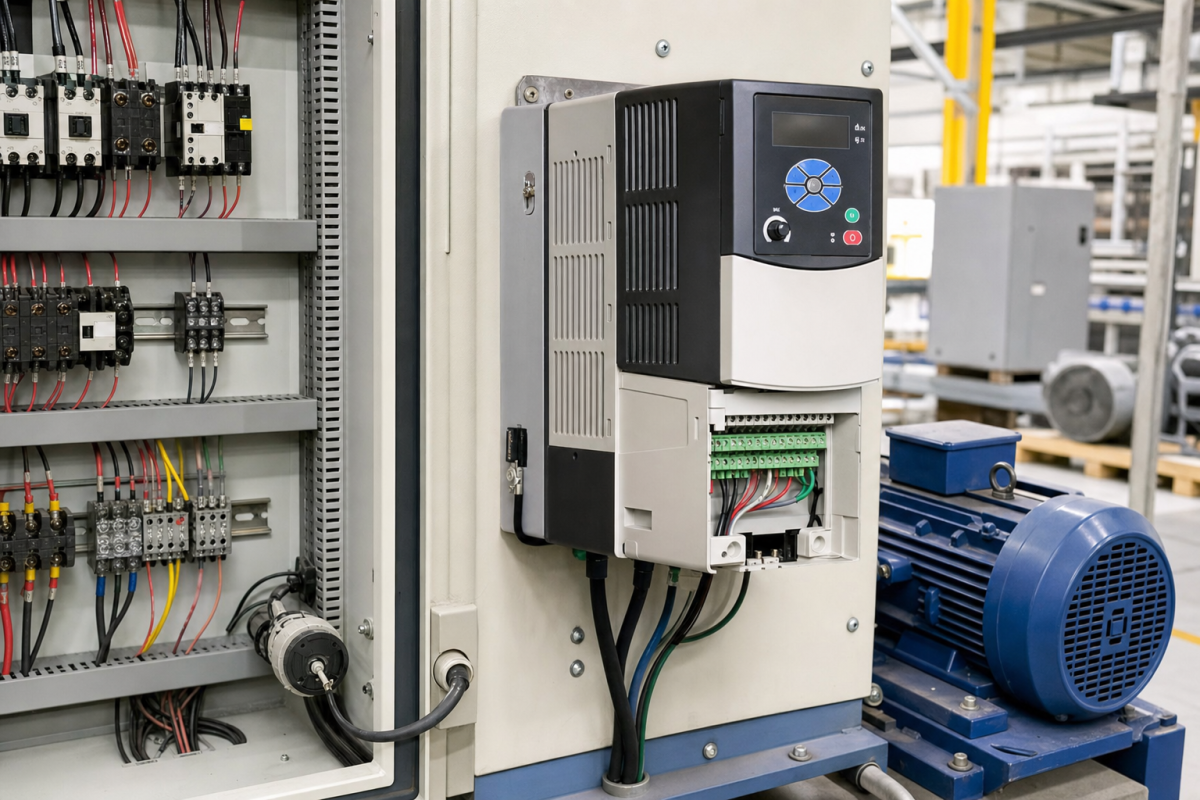
A variable-frequency drive can be misquoted by horsepower alone. Voltage class, phase, overload duty, enclosure, control method, braking, communication, option modules, and motor data all affect whether a PowerFlex spare can restore the machine. The wrong rating may not reveal itself until the first acceleration or loaded production cycle.
Konmask buyers should treat a PowerFlex 40P request as a drive-and-application check. A clean unit with the right family name is useful only when the installed motor, control interface, protection, and commissioning record agree.
Start with the drive nameplate
Record complete part number, voltage, current, horsepower or kilowatt rating, phase, enclosure, control mode, keypad, braking, communication, and option cards. Photograph the drive label, terminals, cabinet space, and motor connection.
The live PowerFlex 40P 22D-D012N104 reference is a real catalog match to use as an RFQ starting point. Compare it with the installed nameplate and do not infer compatibility from the series name alone.
If the drive is networked, include the option module and communication path. The 20-750-ENETR reference illustrates why a drive request may include an accessory that is essential to commissioning.
Match the application, not only the hardware
Check motor current, acceleration, load type, overload requirement, braking, speed range, safe torque or interlock needs, and the control source. A drive that runs a light fan may be wrong for a conveyor, hoist, pump, or high-inertia machine.
Record parameter backup, software tool, firmware, keypad, network settings, and who owns restore. A replacement without a verified parameter path can extend the outage.
For surplus or refurbished offers, request actual-item photos, label, terminal condition, cooling fan, option card, test evidence, warranty, and accessory scope.
Acceptance requires a loaded test
After replacement, verify power, motor data, direction, acceleration, current, alarms, braking, communication, interlocks, and the production cycle that matters.
Mark the spare exact, conditional, bench-only, or engineering review required. Do not count a drive as ready stock simply because its display turns on.
Save the final parameters, nameplate photos, option-card record, test results, and approved RFQ. This turns the next PowerFlex request into a faster and more accurate comparison.
Build the RFQ around the installed function
A useful spare request begins with the installed function, not only a familiar brand name. State what the device does, where it sits, what it connects to, and what failure would stop or blind the process. Then add the exact label, revision, connector view, power information, accessory scope, condition requirement, destination, and required date. This gives procurement and engineering the same starting point.
Separate an exact replacement from a possible substitute, repair exchange, bench item, and migration candidate. These options may all be commercially useful, but they do not carry the same approval burden. An exact spare may support a short outage window. A substitute may need wiring changes, parameter review, software work, or a production trial before it can be counted as recovery stock.
The product references in this article are live catalog examples, not permission to skip engineering checks. Compare the product page with the installed label and the plant record. If a suffix, connector, voltage, protocol, firmware family, or mechanical interface differs, keep the item conditional until the responsible engineer closes that gap.
Receiving inspection should repeat the evidence used for the RFQ. Photograph the received label, packaging, connectors, terminals, mounting features, and included accessories. Record what was checked and what remains unknown. A clean-looking item is not automatically a field-ready spare, and an item that powers up is not automatically accepted by the control or protection function.
Keep the approved catalog and RFQ reference with the maintenance record, but do not let a catalog title replace the installed evidence. The useful record is the combination of model, function, interface, condition, test requirement, and decision owner.
Review the spare before the maintenance window, not only after a failure. Confirm that the item is still physically present, that packaging and accessories are intact, that the backup or test procedure is available, and that the responsible engineer is still named.
When a substitute is considered, write down the exact gap it is intended to close and the evidence needed to approve it. This may include a drawing comparison, firmware review, bench test, dimensional check, protection test, communication test, or production trial.
The final decision should be visible to stores, procurement, maintenance, and operations. Use plain status labels such as exact replacement, approved substitute, repair exchange, bench-only, or engineering review required.
FAQ
What must match on a PowerFlex 40P spare?
Match complete part number, voltage, current, duty, enclosure, control, braking, options, firmware, and motor application.
Is horsepower enough to choose a VFD?
No. Current, load, overload, voltage, phase, braking, control, and motor data are also required.
Should the network option be quoted separately?
If the installed drive depends on it, include the option module and its configuration in the recovery RFQ.
What should be tested after replacement?
Check motor data, direction, acceleration, current, alarms, braking, communication, interlocks, and the required production cycle.
Send Konmask the PowerFlex nameplate, motor data, option-card details, photos, and deadline. We can help compare exact and conditional drive options before approval.
A useful record also states what the supplier cannot determine from a catalog page. Unknown firmware, missing drawings, unclear terminal scope, incomplete accessories, and untested condition should be written as open items so the quote remains honest and the plant has a short list of questions to close before the equipment is needed.
Use the same evidence at receiving that was used during selection. Compare the actual label and interface with the approved request, then save received-item photos with the work order. This helps maintenance, procurement, and stores learn from every replacement instead of starting the next RFQ from a blank screen.
© 2026 Konmask. All rights reserved. Official Website: https://www.konmask.com Inquiry: support@konmask.com | WhatsApp/Tel: +86 19859288691
