

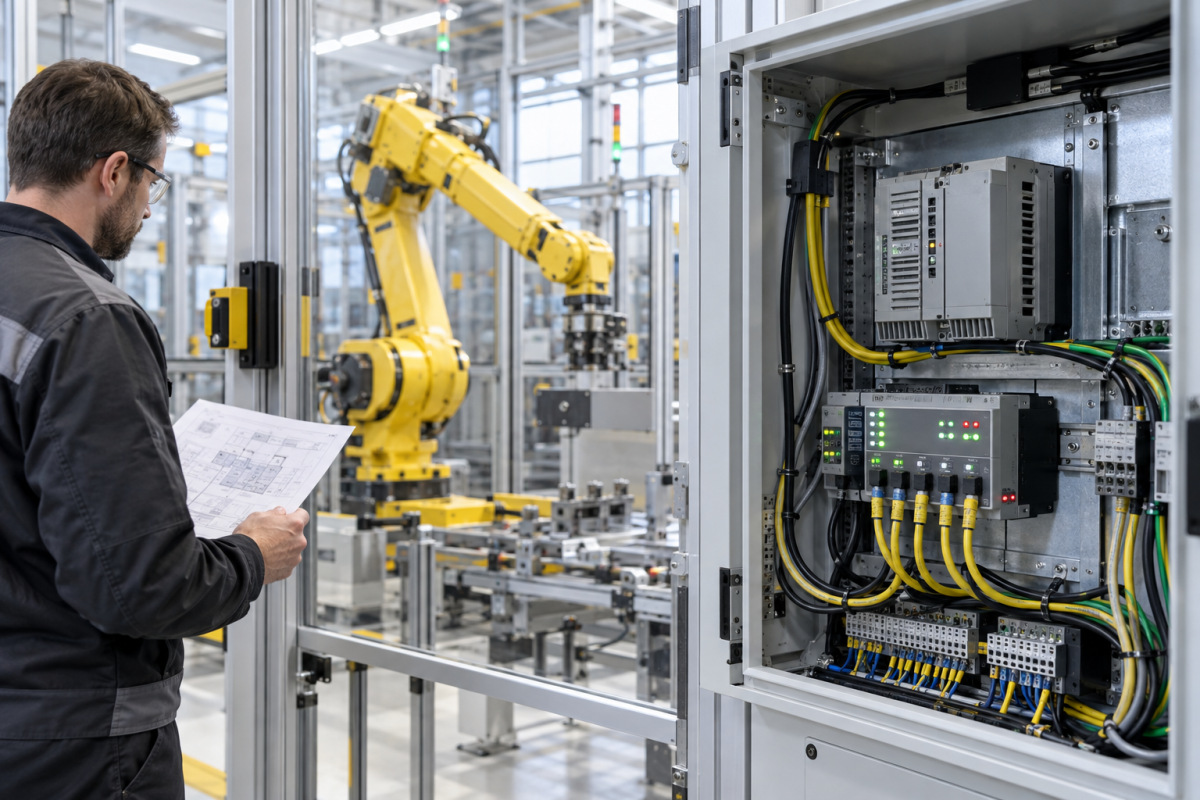
When an IRC5 robot loses field I/O, the first visible symptom may be a DeviceNet node that disappears from the controller or a process signal that stops updating. Replacing the communication board immediately can miss a failed drop cable, missing network power, duplicate node address, changed scan list, incorrect device description or a fault at the other end of the bus. The practical goal is to identify which layer stopped communicating while leaving the robot in a safe state. Preserve the controller event log and network configuration before changing an address or rescanning devices.
Draw the installed network boundary
Record the IRC5 controller version, communication-board label and firmware, network role, node addresses, connected devices, trunk and drop locations, terminators, power source and cable route. Compare the live arrangement with the approved RobotStudio or site configuration; older cells often contain undocumented device replacements. ABB’s DeviceNet Master/Slave application manual distinguishes network configuration and device behavior from the robot’s other I/O paths. That matters because a healthy robot controller can still have a bus-layer fault, while a good bus can still serve a misconfigured node.
Read status before making changes
Capture module LEDs and controller diagnostics exactly as found, including which indicators change at startup and which change when a device fault occurs. Check whether the controller recognizes the communication board, whether the configured devices are present, and whether the missing signal maps to one node or a larger group. A single missing device directs attention toward its connection, power, address or device state. Several devices dropping together suggests a shared trunk, network supply, termination or master-side issue. Do not infer a failed board from one application alarm without checking the network evidence.
Inspect physical bus conditions safely
Under the site isolation and electrical procedure, inspect cable jacket, connector retention, drop length, shield bonding, exposed conductors, moisture and mechanical damage. Confirm that network power and termination match the installed design using suitable instruments and the approved network procedure. DeviceNet requires attention to trunk/drop topology and node identity; a connector that appears seated does not prove that the path is electrically sound. Do not disconnect a live bus or change termination as an experiment while the robot is enabled. Coordinate an outage or approved diagnostic window with production and safety owners.
Separate a module replacement from a configuration change
The Konmask catalog lists the ABB DSQC697 DeviceNet communication module and an ABB DSQC651 I/O module. These are different functions, not substitutes. Use the full label, controller generation, board revision, configured network role and approved spare list to decide which item is relevant. A separate ABB IRC5 controller catalog reference can help frame system context, but it does not establish board compatibility for a particular robot cell.
Preserve the electronic configuration
Before a controlled board or device replacement, export the current controller backup and network configuration through the approved engineering process. Record device descriptions, node addresses, input/output sizes, connection types, scan-list order and any safety-related signal mapping. Compare the replacement configuration against the saved baseline before enabling the robot. A replacement module may have a similar designation while requiring a different revision, option or setup. Confirm any firmware or device-description dependency in ABB’s documentation for the installed RobotWare version, and avoid importing a broad network scan that silently changes production mappings.
Prove the entire robot-to-process path
After restoration, verify module diagnostics, each node, input and output mapping, application interlocks, alarms, operator display and the relevant PLC handshake. Use a controlled test plan with cell guarding, safe speed, authorized personnel and a defined rollback. Check that a lost field signal produces the intended safe behavior and that normal behavior returns only after the fault is cleared. Record the as-left board identity, firmware, network parameters and test results. If the bus remains unstable, stop and revisit the physical path and node history instead of cycling through spare modules.
Define acceptance evidence before the outage
For a replacement module, decide in advance what receiving inspection should establish: exact label and revision, connector condition, visible damage, reported test scope and any available repair history. Keep supplier identity checks separate from site acceptance testing. Before the window, assign responsibility for device descriptions, node addressing, scan-list restoration and robot application checks. If the spare is repaired or previously installed, confirm its condition matches purchasing requirements and retain item-specific records. An acceptance plan agreed before the outage prevents schedule pressure from turning an unverified communication card into an assumed fix.
Questions robot teams ask
Does a DeviceNet communication alarm prove the DSQC697 has failed?
No. Check controller recognition, network power, trunk and drop wiring, termination, node address, device state and configuration before condemning the board.
Can I rescan the network to rebuild the node list?
Only after preserving the baseline and confirming the approved procedure. An uncontrolled scan can alter device configuration or I/O mapping.
Is an ABB I/O module a substitute for a DeviceNet module?
No. The DSQC697 and an I/O module serve distinct roles. Match the part to the diagnosed layer and exact controller configuration.
What should be included in an IRC5 communication-module RFQ?
Send the full module code and revision, RobotWare version, network role, node list, alarm text, cabinet photos, requested condition and validation requirements.
For an ABB robot communication inquiry, send Konmask the full module label, controller and RobotWare versions, node list, LED and alarm photos, bus layout and outage window. We can help verify the catalog identity for your technical review.
© 2026 Konmask. All rights reserved. Official Website: https://konmask.com Inquiry: support@konmask.com | WhatsApp/Tel: +86 18359293191
