

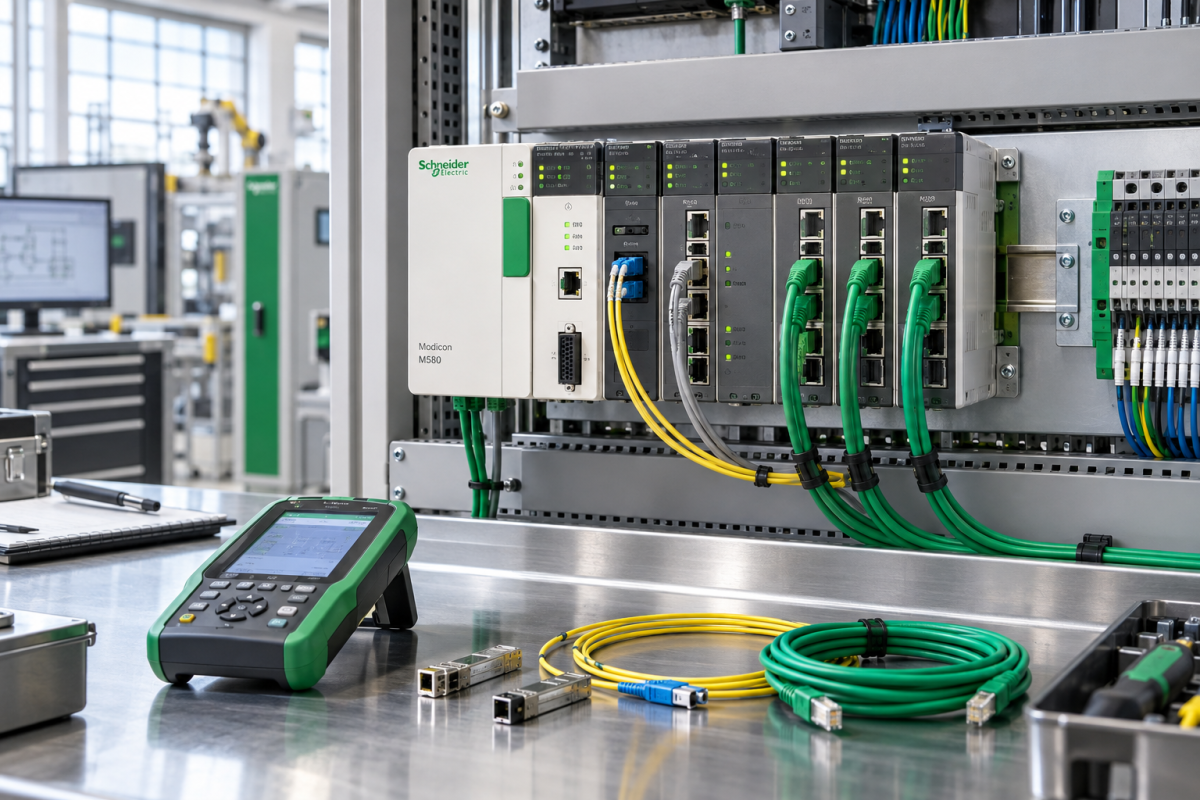
Industrial Ethernet faults are often blamed on the switch because that is where the alarm appears. In a Modicon M580 installation, the real weakness may be the network module, backplane, connector, cable shield, power supply or a duplicate address. Replacing the visible module without proving the path can turn a short diagnostic job into a second outage.
The M580 is also a good example of a system that benefits from a structured spare strategy. Its value is not only the processor. The rack, network path and connected devices determine whether the controller can return to a stable operating state. A buyer who records those dependencies can source a part with confidence and avoid the vague request for an “M580 communication card.”
Record the network identity
Capture the rack location, CPU, network module, backplane, power supply, IP address, device name, connected switches and remote devices. Export the approved configuration and note the normal diagnostic LEDs. Photograph the module position, cable routes and connector labels. Record whether the network is a ring, star or a managed redundant path.
When the fault occurs, record the timestamp, affected devices, switch alarms and whether the controller application continues to run. A network module that loses one remote device is not the same problem as a rack that disappears from the control network. This distinction should appear in the RFQ and in the acceptance test.
Separate module, backplane and cable causes
Start with control power and the physical path. Check the module supply, rack contacts, connector seating, cable bend radius and shield termination. Compare the affected port with a known-good port or segment. Review switch logs for link flaps, duplicate addresses and error counters. If the fault follows the cable or rack position, a module replacement is unlikely to solve it.
The Schneider BMENOC0301 M580 Ethernet network module should be matched to the installed rack, firmware expectations, port role and network design. Ask for the exact identity, condition and test evidence. Confirm whether the unit was tested with a representative network or only powered up.
The Schneider BMEXBP0800 M580 Ethernet backplane deserves equal attention when multiple modules show intermittent symptoms. Verify slot count, rack arrangement, connector condition and the replacement procedure. A backplane can create faults that appear to move when modules are reseated.
Plan the network recovery test
Before the outage, define the isolation points, configuration backup, cable labels and rollback plan. Bench-test a critical network module for power-up, diagnostics and communication with an approved test setup. For a backplane, inspect every slot and check the mechanical condition. Record what was not tested so procurement does not overstate readiness.
After installation, verify the local module, controller communication, remote I/O, HMI updates, historian data and alarms. Check the network from more than one point. Confirm that no temporary bypass or unmanaged switch remains in the path. Ask operations to run a representative sequence before closing the work order.
Keep a simple port and slot map with the spare. It should show which ports are used, which cables are redundant, where the backplane sits and which devices are expected after restart. This document is faster to use during an outage than a large drawing set and helps prevent a correct module from being installed in the wrong position.
If the same network symptom returns, compare the new diagnostics with the original record before ordering a second unit. Repeated link flaps or rack faults usually point to environment, power, cable strain or grounding. A second module is not a root-cause investigation.
Document the switch port, IP address and device name in the same record as the module. A spare network module can be electrically correct and still fail to rejoin the plant if its parameters are missing or copied from the wrong rack.
When a backplane is replaced, inspect neighboring connectors and the cabinet mounting. A mechanical problem that remains in the rack can damage the new part or create intermittent faults that are difficult to reproduce after the outage.
Keep the old network module and backplane labeled until the post-outage review. Their condition, connector wear and diagnostic history may explain why the fault appeared and may prevent a repeat purchase that addresses only the symptom.
Questions maintenance teams usually ask
Can we replace an M580 network module with any module from the same family?
No. Confirm the exact part, firmware expectations, port role, rack and network design. Family names do not prove interchangeability.
When should the backplane be suspected?
Suspect it when several modules or slots show intermittent behavior, when faults follow a rack position, or when reseating temporarily changes the symptom.
Is a module that powers up ready for network service?
No. Verify diagnostics, ports, configuration, representative communication and any limitations of the test environment.
What should an urgent M580 RFQ include?
Include the exact module or backplane, rack and slot, network role, firmware, symptoms, quantity, condition requirement, destination and photographs of the cabinet.
Make the Ethernet path traceable
Modicon M580 recovery is more predictable when the plant maps power, rack, module, cable and switch evidence together. That record protects the immediate restart and improves future decisions about network resilience and lifecycle support.
Send the cabinet photos, diagnostic state, part numbers and required date to Konmask. We can help identify the M580 network spare, clarify condition and provide a quotation built around the real recovery path.
© 2026 Konmask. All rights reserved. Official Website: https://konmask.com Inquiry: support@konmask.com | WhatsApp/Tel: +86 18359293191
