

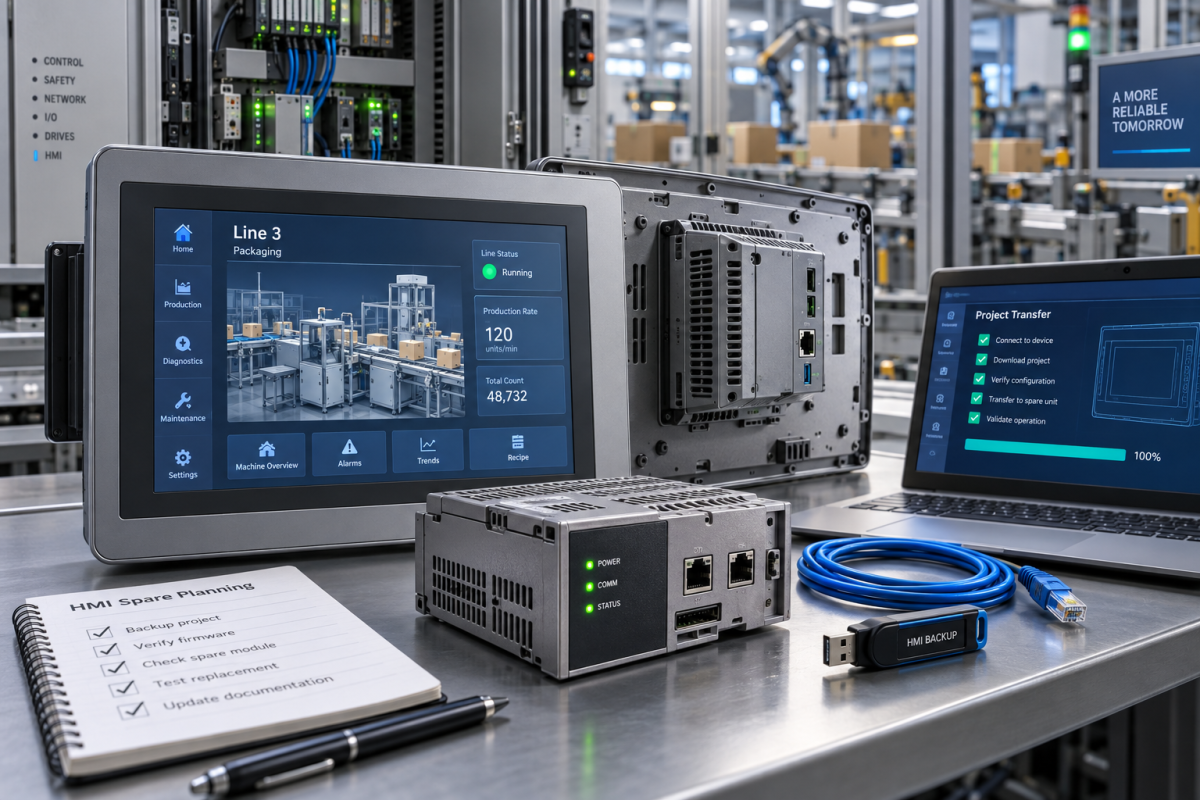
A failed operator panel can stop a line even when the PLC is still healthy. For PanelView Plus recovery, the spare conversation should include the logic module, terminal size, communication path, project backup, power, and the operator test that proves production can resume.
Konmask readers often deal with machine HMIs that are old enough to be fragile but still central to daily production. A replacement screen without the right project and communication evidence is only half a recovery plan.
Treat The Backup As Part Of The Spare
Record terminal model, logic module, display size, power, communication ports, firmware, project backup location, PLC path, recipe or setting needs, and the line function controlled by the screen.
For this site, the live product evidence points to AB | 2711P-RP8A | PanelView Plus 6 700-1500 Logic Module. It is not inserted as a shopping shortcut; it gives maintenance and purchasing a concrete published reference for labels, connector faces, condition expectations, and the language used in the RFQ.
A second relevant published reference is AB 2711P-T12C6D2 PanelView Plus 12.1 Touch HMI Terminal. Comparing both items before the article is written keeps the post grounded in real inventory pages instead of inventing links after the technical story is finished.
Panel Hardware Is Only One Risk
A correct terminal can still miss the window if the project cannot be restored, the logic module differs, the cutout is wrong, or the communication settings are unknown.
Ask suppliers for screen condition, actual photos, tested status, included accessories, logic-module evidence, and notes about revision or firmware compatibility.
The useful question is not whether the family name looks familiar. The useful question is whether the spare can be accepted by the plant under the same electrical, mechanical, diagnostic, and documentation constraints as the installed part. That is where many urgent purchases fail: a quote arrives quickly, but the engineering evidence is too thin to install with confidence.
Acceptance Should Prove Operator Control
After replacement, verify power, project load, touch response, PLC communication, alarm pages, recipe access, operator commands, and a controlled line restart.
If the HMI does not communicate, review cables, IP address, serial settings, runtime version, project path, security, and PLC program status before blaming the spare.
A good acceptance plan should also name the rollback path. If the spare does not pass inspection or startup checks, the team should know whether to reinstall the original item, isolate a noncritical function, move to a repaired exchange, borrow from a sister line, or escalate to a controlled migration decision.
How To Turn The Topic Into A Better RFQ
Start with installed evidence. Send the complete model number, front and side labels, rack or cabinet position, connected accessories, terminal photos, cable tags, and the process or machine function that is affected. A buyer can search faster when the engineering file is not reduced to one copied part number.
State the condition requirement in practical language. New surplus, refurbished, repaired exchange, tested used, and untested used stock are not the same risk. For critical equipment, ask for photos of the actual item, inspection notes, test scope, packaging condition, and shipment limits before the order is released.
Make the difference between hardware readiness and system readiness explicit. The supplier can help confirm part identity, condition, test evidence, and logistics. The plant still owns project backup, parameter transfer, firmware review, loop checks, network validation, proof testing, and final operating approval.
Use photos as engineering data. Connector faces, terminal screws, power groups, rack slots, status LEDs, battery compartments, memory cards, daughter boards, cable shields, and adjacent modules often reveal compatibility details that do not appear in a spreadsheet.
Document what has not been verified. If firmware, backup files, calibration, licenses, communication schedules, safety validation, or field proof tests are unknown, write that clearly. Nobody should mistake a delivered module for a recovered system.
Separate emergency recovery from inventory planning. A downtime purchase may accept a narrower test window and faster freight. A stores purchase should have cleaner records because the part may sit for months before anybody remembers why it was bought.
For older PLC, DCS, SIS, HMI, motion, robot, and machinery-protection systems, substitution risk rises as official support narrows. Similar-looking modules can differ by suffix, memory, interface, termination, firmware, cabinet depth, channel isolation, or supported project version.
For multisite groups, keep the RFQ format standardized while allowing local acceptance rules. A turbine controller, a safety output, a robot axis, a batch HMI, and a remote I/O station do not carry identical operating risk, but they all benefit from the same evidence discipline.
Receiving inspection should repeat the same checks used during sourcing. Compare approved photos with the delivered part, inspect ports and terminal areas, record serial and revision data, confirm included accessories, and decide whether the spare is ready for shelf stock, bench test, or immediate installation.
The final record is worth keeping. A small file with photos, product URL, supplier evidence, test notes, and acceptance status becomes useful the next time the same platform fails, when another site asks for support, or when management questions why a modernization budget is needed.
This is also how a daily industry note becomes commercially useful without sounding like a sales pitch. The article starts with a real maintenance risk, connects it to existing published products only where relevant, and gives the reader enough field logic to prepare a clearer inquiry.
If a plant is under pressure, the best message to a supplier is short but complete: brand, full model, quantity, acceptable condition, photos, installed role, failure symptom, deadline, delivery country, and the acceptance test that will decide whether the part solved the problem.
FAQ
What must match on a PanelView Plus spare?
Match display size, logic module, power, communication ports, project compatibility, mounting, and line test method.
Why mention the project backup before ordering?
A powered screen cannot recover production unless the runtime application can be loaded and tested.
What should procurement send?
Send front and rear photos, labels, module details, port photos, backup status, condition requirement, and deadline.
What proves recovery?
Loaded project, valid PLC communication, working alarm and control pages, operator approval, and controlled line restart.
Send Konmask the PanelView Plus photos, logic-module label, terminal model, project backup status, communication details, and recovery deadline. We can help prepare a focused HMI spare RFQ.
© 2026 Konmask. All rights reserved. Official Website: https://konmask.com Inquiry: support@konmask.com | WhatsApp/Tel: +86 18359293191
